Automation Workflow Builder (Zoko Flows)
Enabled non-technical users to create and manage automated WhatsApp interactions end-to-end, reducing manual effort and improving engagement
Context
As businesses scaled on WhatsApp, many repetitive tasks like responding to messages, tagging users, and routing conversations were still handled manually.
This created delays, inconsistencies, and increased workload for teams. Zoko needed a way for businesses to automate these workflows without relying on technical teams.
Key Problems
• Automation tools are typically complex and hard to understand
• Non-technical users struggled to create and manage workflows
• Lack of visibility into how flows behave once created
• Difficult to debug or track what’s happening inside a flow
Why This Problem Is Complex
Automation involves logic, conditions, and multiple paths - which can quickly become confusing.
The challenge was to make this powerful system feel simple, while still supporting flexible workflows.
Design Approach
We prioritised visibility and operational clarity over minimal visual design.
User testing showed that in high-volume environments, users prefer:
1) Break complex logic into simple, visual steps
2) Make flows easy to build using drag-and-drop
3) Show clear connections between steps
3) Provide visibility into what’s happening at each stage
Solution Overview
Designed a visual workflow builder where users can create automation using blocks like trigger, condition, message, and actions. Each step is connected visually, making it easy to understand how the flow works from start to finish.
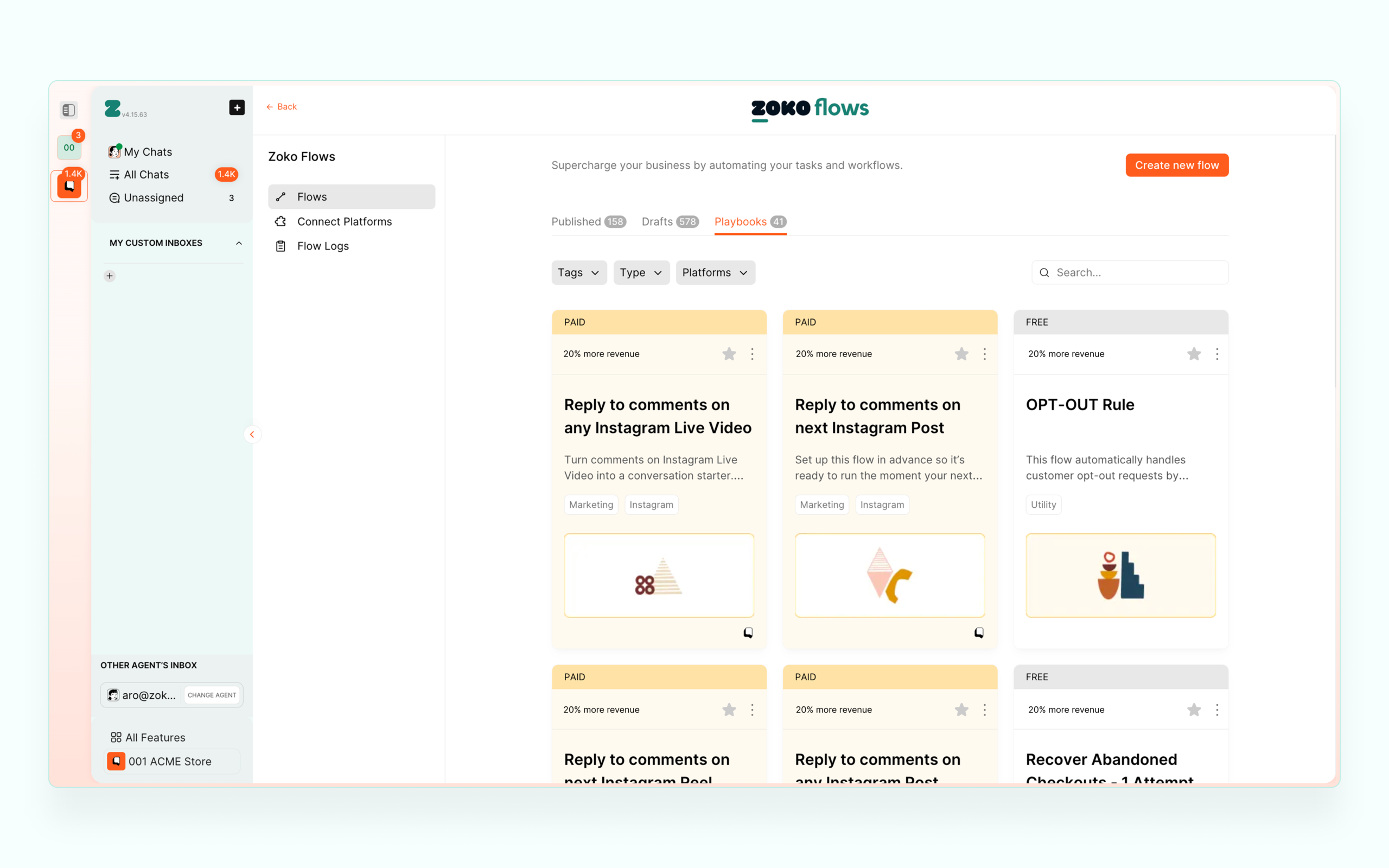
Flow Library (Discovery)
Users can browse, filter, and manage multiple workflows from a central dashboard.
This helps teams organize and quickly access flows.
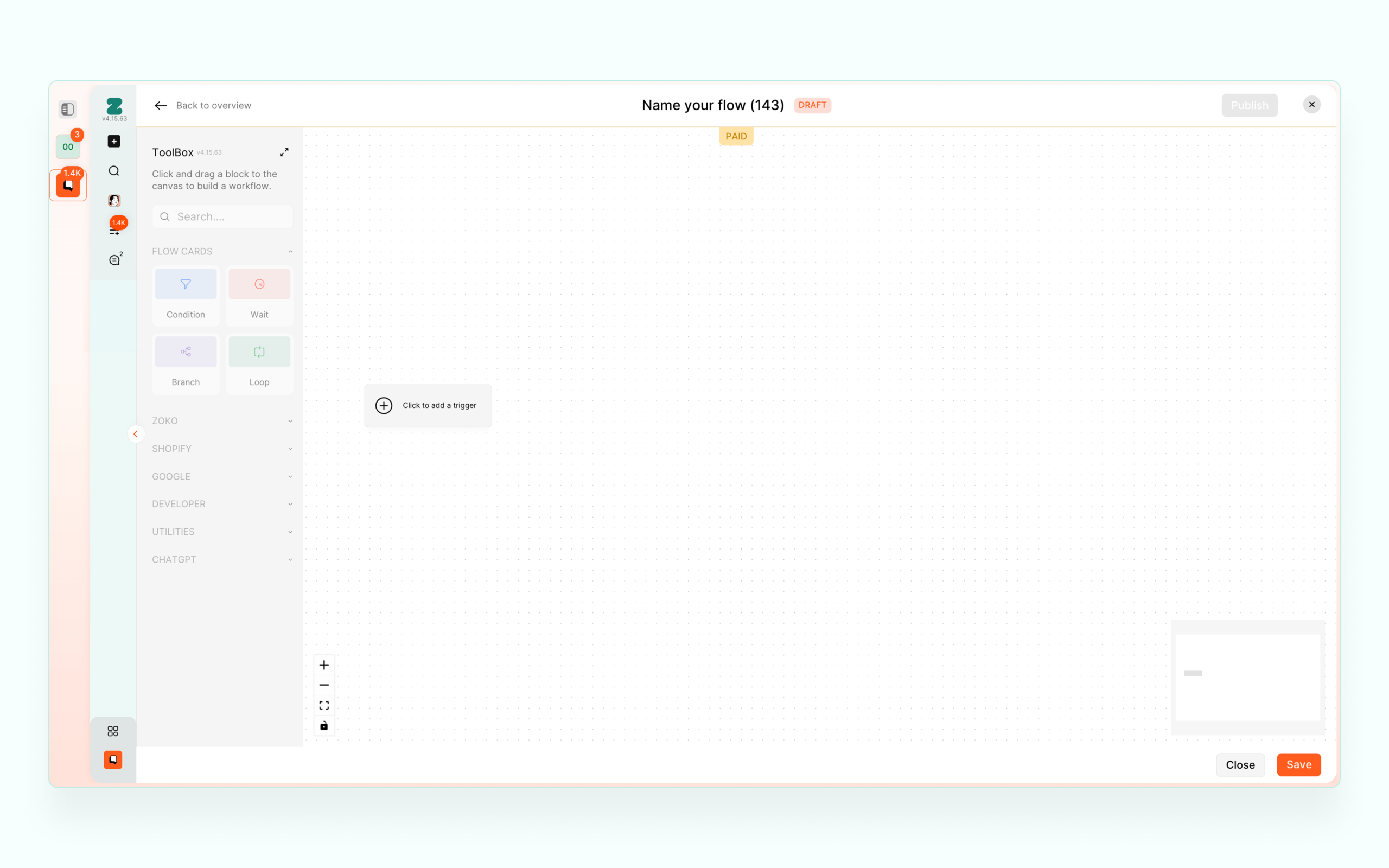
Flow Builder (Canvas)
A visual canvas where users can build workflows using drag-and-drop blocks.
This reduces complexity and makes automation easier to understand.
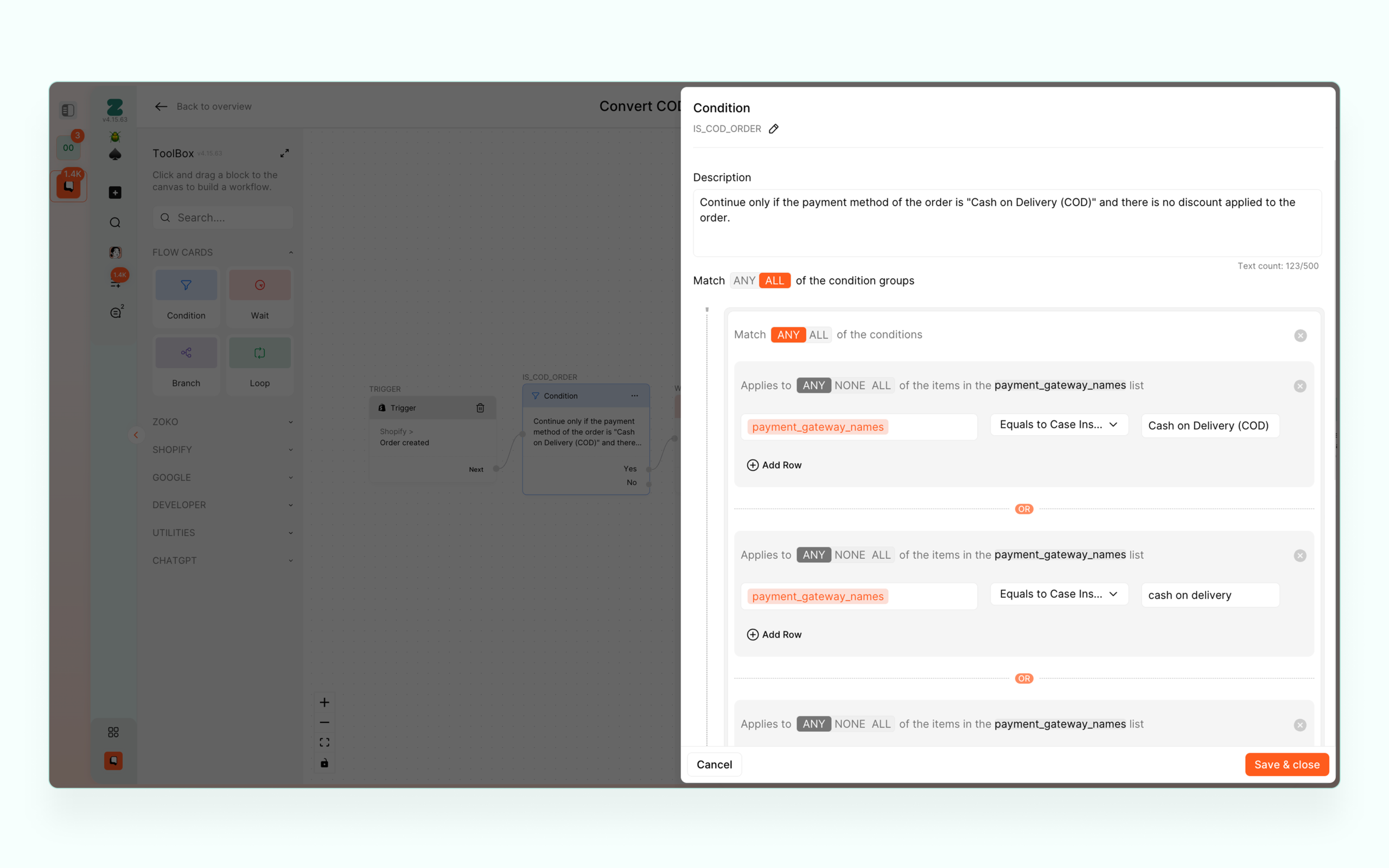
Logic Blocks (Conditions, Branching)
Users can create different paths using conditions and branching.
This allows workflows to adapt based on user actions or data.
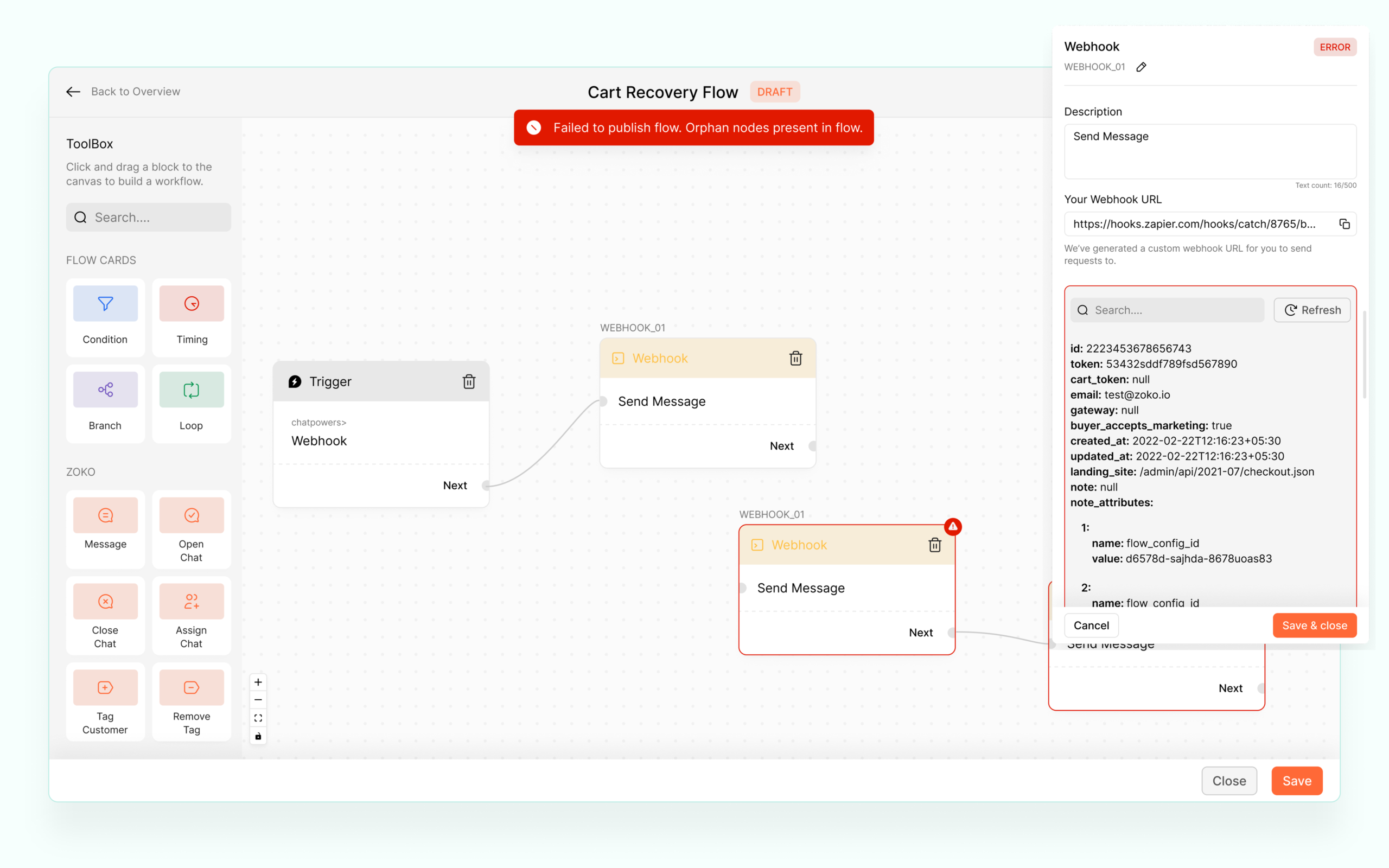
Execution Visibility
Each flow shows activity like triggered, completed, and errors.
This helps users understand how their automation is performing.
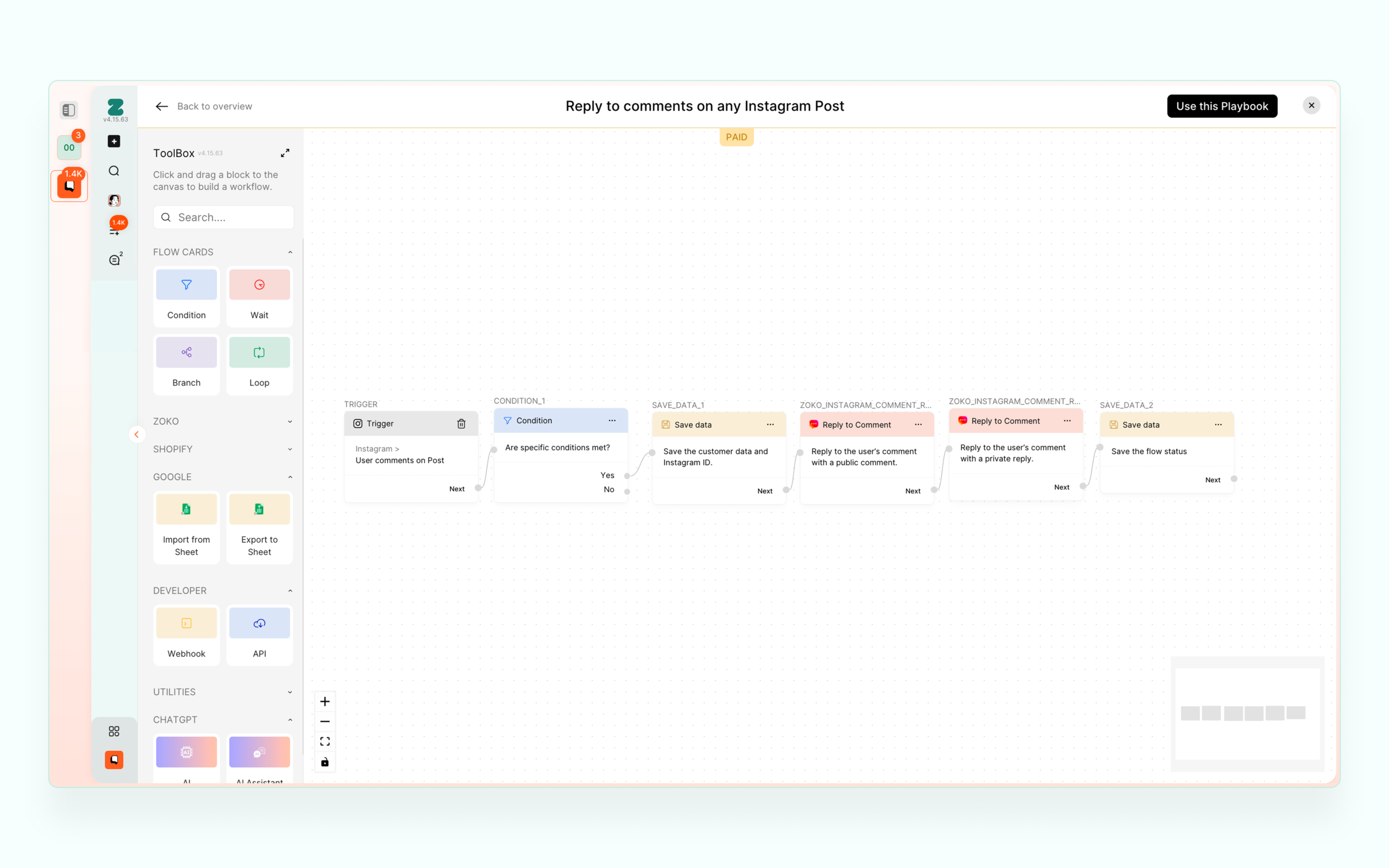
Real Workflow Example
Example workflow showing how messages, tags, and conditions work together to automate customer interactions.
Before → After
Before:
- Manual handling of repetitive tasks
- No clear automation structure
- High dependency on human effort
After:
- Visual workflow builder for automation
- Reduced manual effort
- Clear and structured automation logic
Impact
- Enabled non-technical users to create automation workflows
- Reduced manual effort in customer communication
- Improved efficiency in handling repetitive tasks
- Made automation accessible across teams
What I Learned
The biggest challenge in automation is not building powerful features, but making complex logic easy to understand and use.
Let’s build thoughtful, scalable products.
Open to senior IC and design leadership roles. If you're building something interesting, let’s talk.
📱 +91 9847580241
📄 Resume
Elsewhere:
© 2026 Sooraj. Designed with intention.