Multi-Channel Inbox & Agent Workspace
Scaled Zoko’s inbox from a single-agent chat tool to a multi-agent, multi-channel workspace supporting real-time collaboration.
Context
Zoko started as a single-agent chat tool. As businesses scaled, they needed to handle high volumes of conversations across multiple agents and workflows.
The existing inbox wasn’t built for this - leading to missed messages, inefficiencies, and poor collaboration. I redesigned the inbox into a multi-agent workspace to support real-time operations at scale.
Key Challenges
The existing inbox was not designed for scale.
• Lack of visibility - agents struggled to track active and pending conversations
• No ownership model - difficult to assign responsibility across multiple agents
• High context switching - switching between stores and chats slowed down workflows
• Poor organization - no structured way to group, filter, or prioritize conversations
Why This Problem Is Complex
Designing a messaging workspace at scale involves multiple tradeoffs:
• Real-time updates vs performance
• Multiple agents vs clear ownership
• Flexibility vs simplicity
• High data density vs usability
The challenge was to create a system that feels simple while handling complex workflows behind the scenes.
Design Principle
We prioritised visibility and operational clarity over minimal visual design.
User testing showed that in high-volume environments, users prefer:
1) Keep important information visible
2) Reduce unnecessary clicks and switching
3) Make ownership clear
3) Keep the interface simple even with complex workflows
Design Decisions
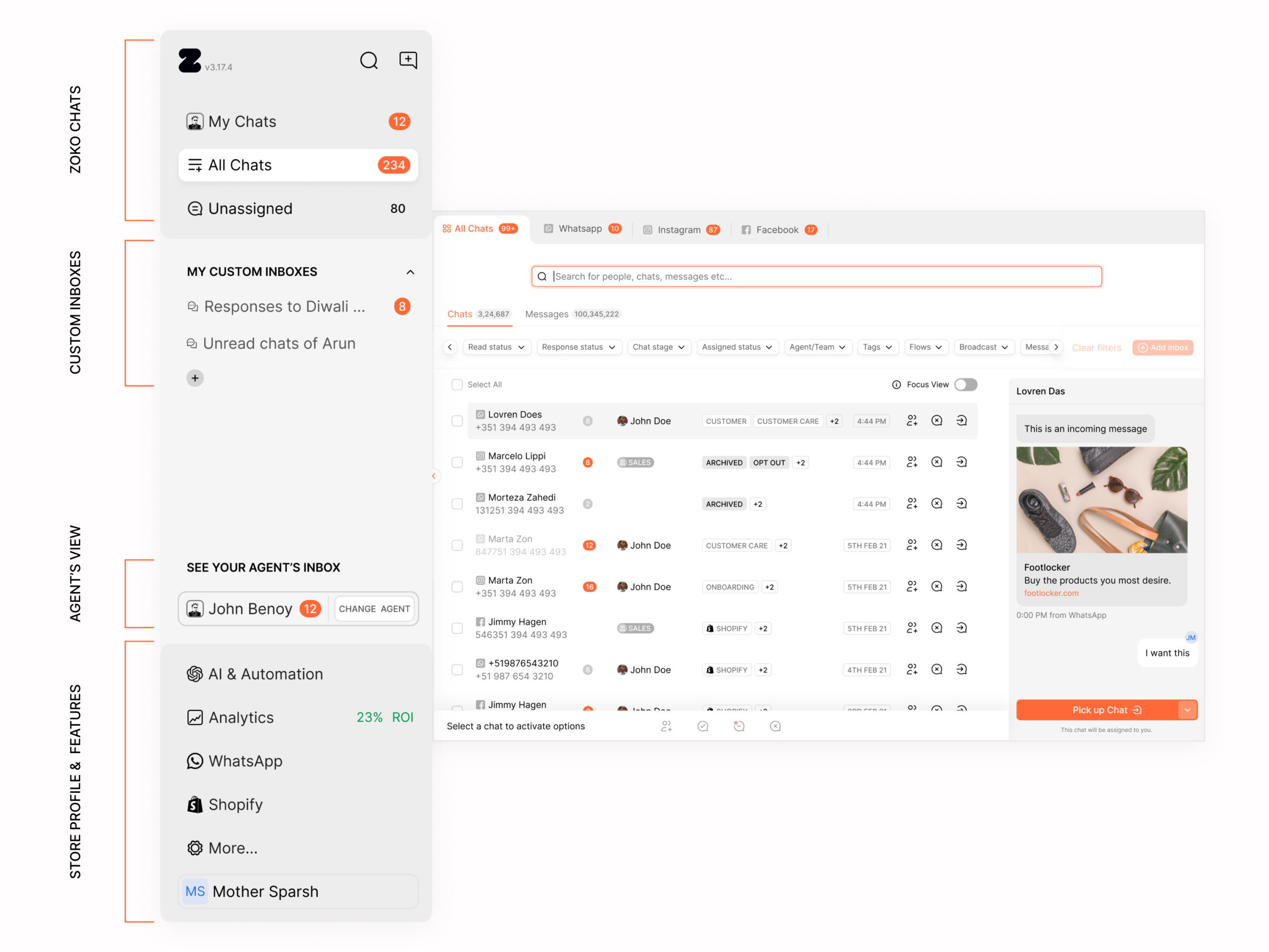
Sidebar Structure: Making the System Always Accessible
Introduced a persistent sidebar to surface core sections like chats, views, stores, and custom inboxes.
Why:
Users struggled to access key areas due to fragmented navigation.
Impact:
Improved visibility and reduced navigation effort across workflows.
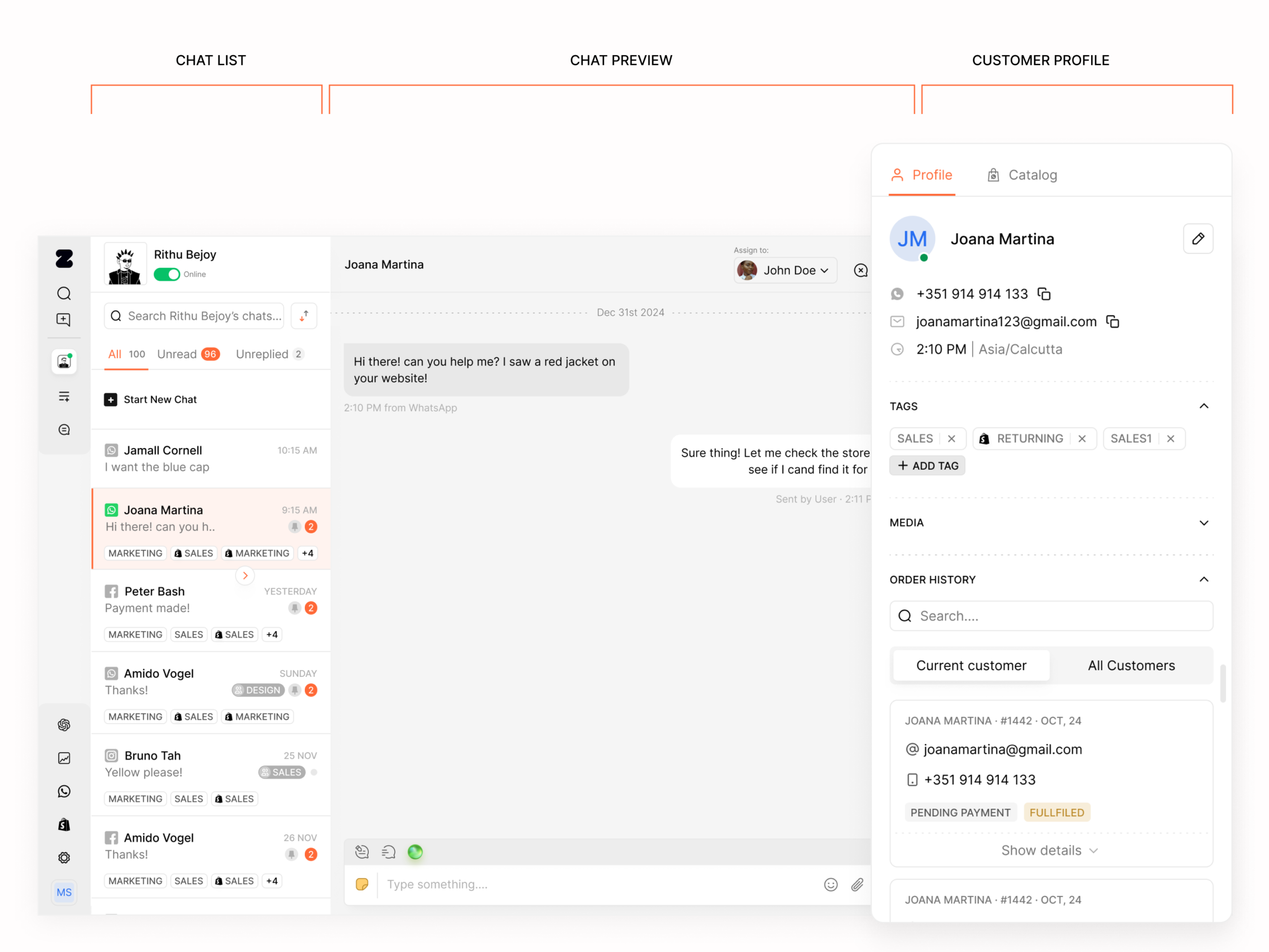
3-Column Layout: Separating Context Clearly
Introduced a 3-column layout to reduce switching between chats and give agents full context in one view
Why:
Agents needed to view, act, and understand context without switching screens.
Impact:
Enabled faster responses and better decision-making.
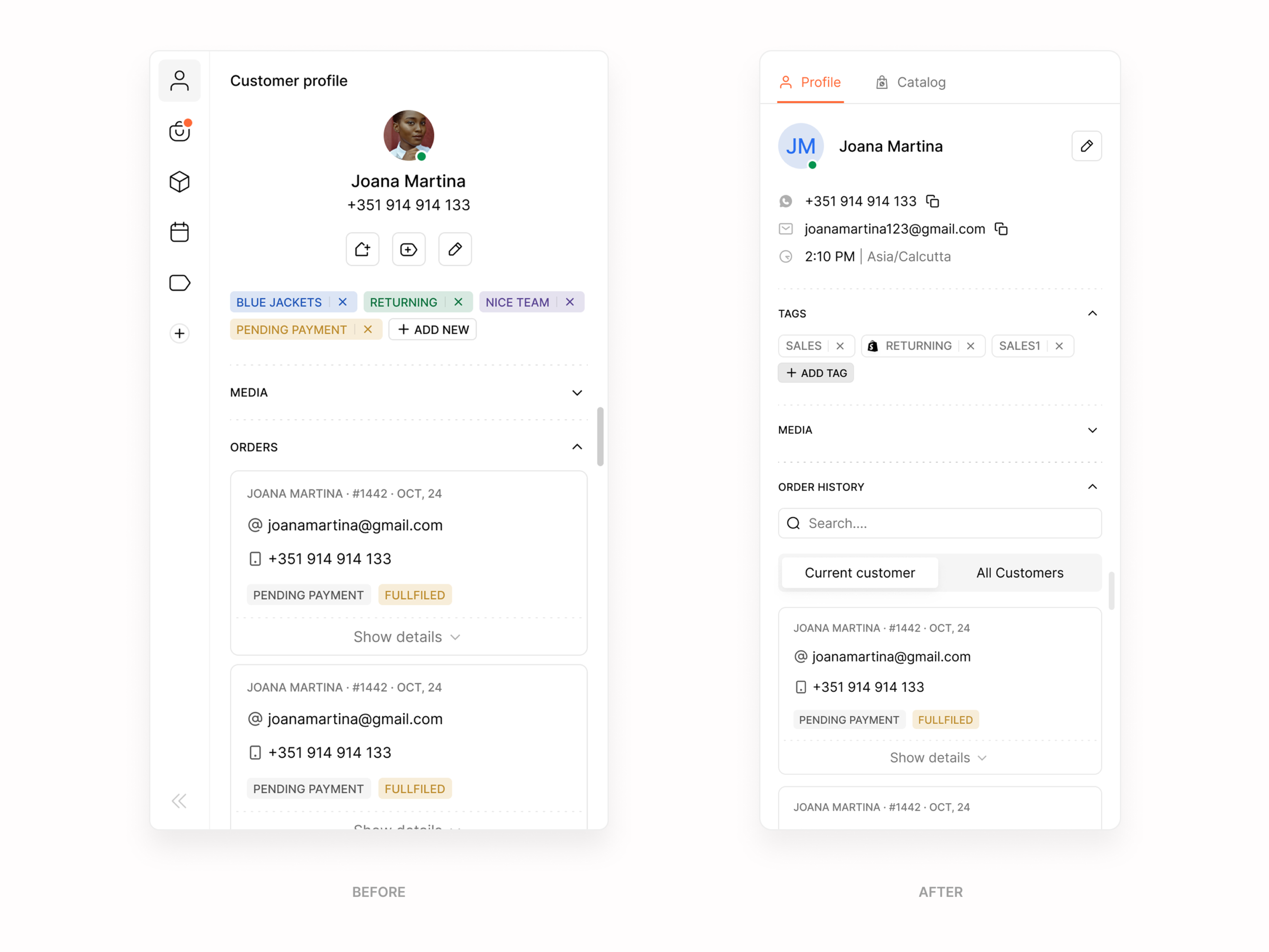
Profile Panel: Bringing Context Inline
Added a dedicated panel for customer details, tags, and order history.
Why:
Agents previously had to switch screens to access this information.
Impact:
Improved efficiency by keeping all relevant context within the conversation view.
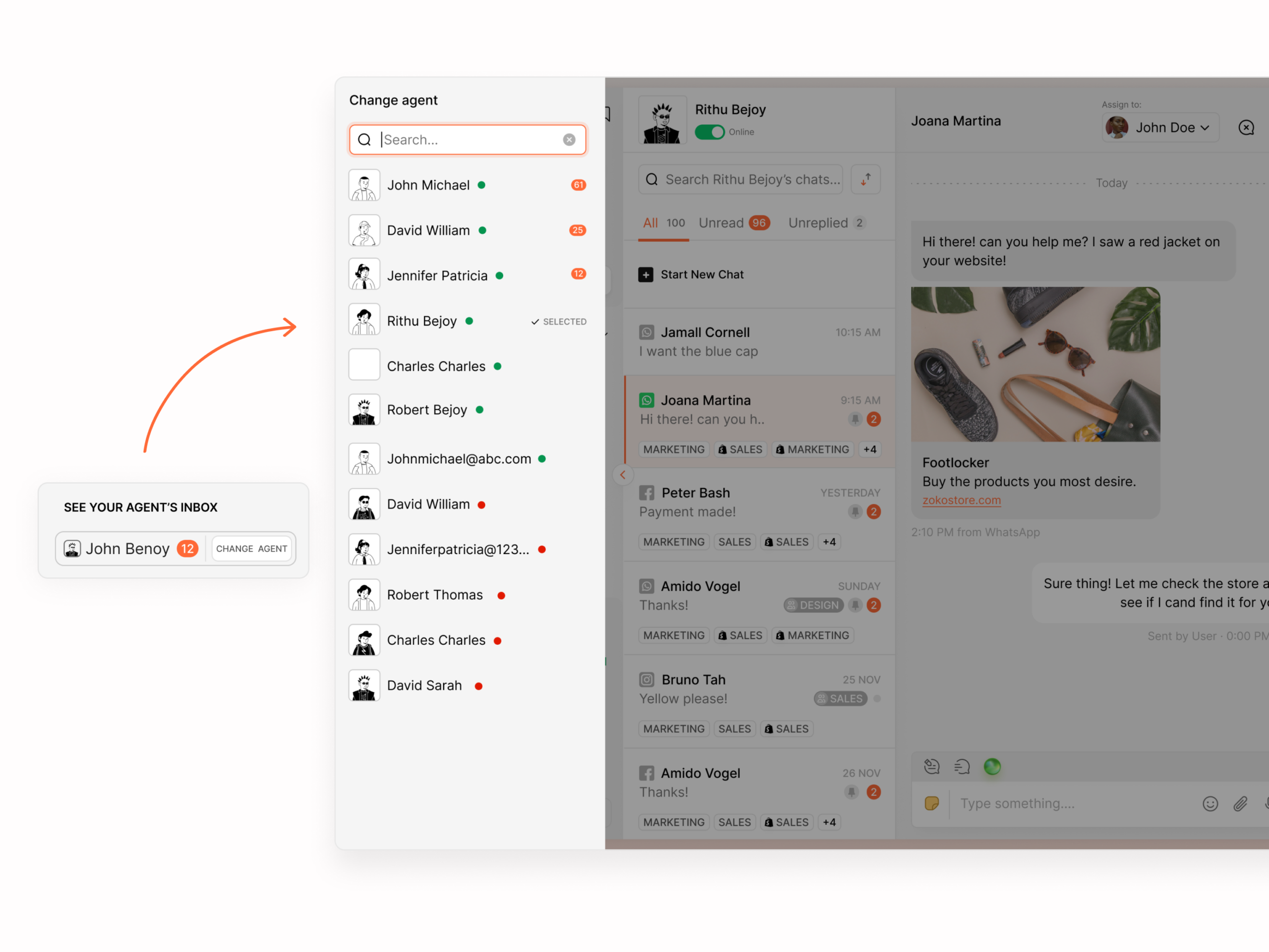
Agent View Switching: Supporting Team Workflows
Enabled switching between personal and team views for managing conversations.
Why:
Teams needed visibility across shared workloads.
Impact:
Improved collaboration and workload distribution.
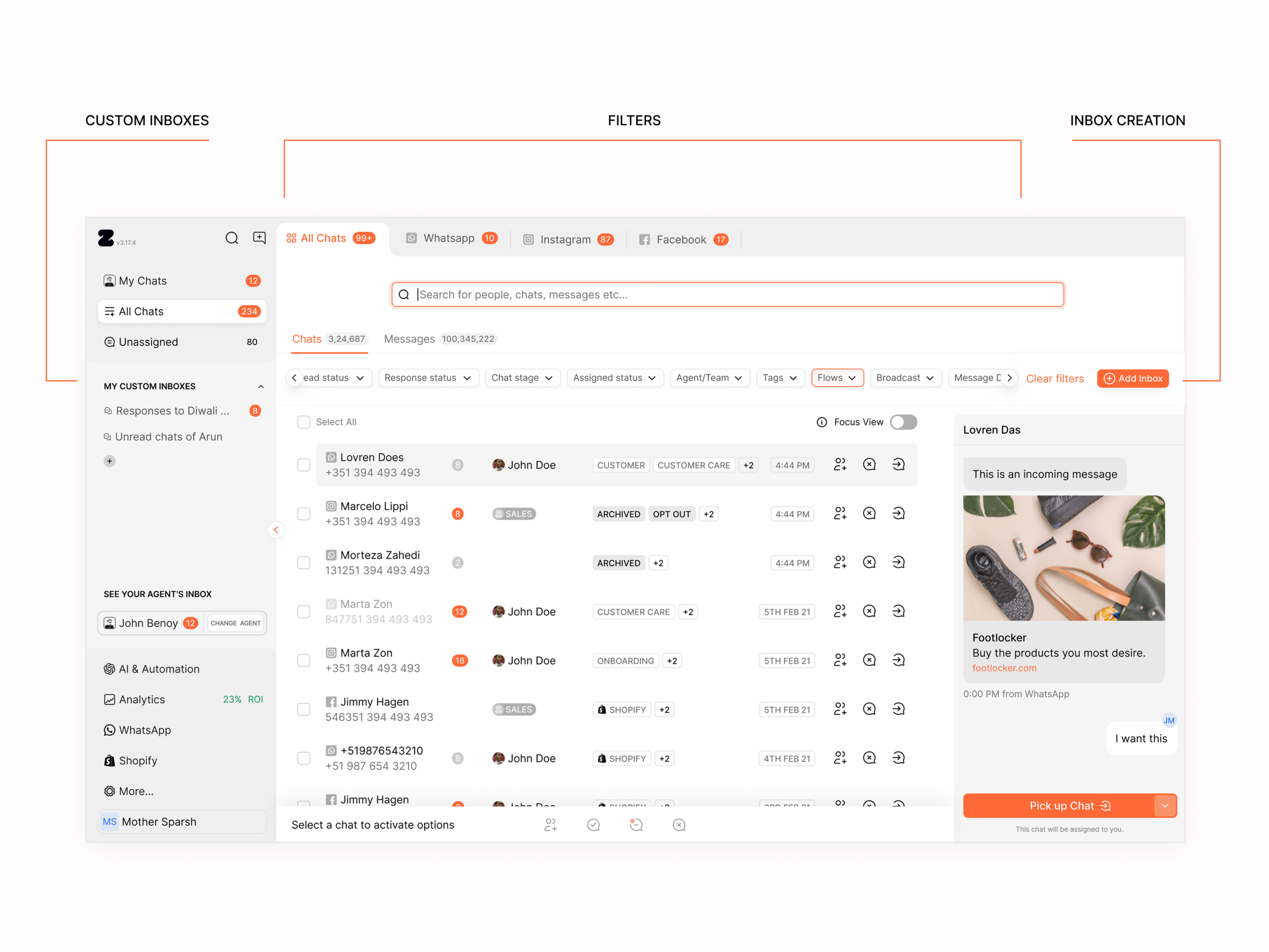
Custom Inboxes: Workflow-Based Organisation
Allowed users to create custom inboxes based on their workflow.
Why:
Teams needed flexibility to organise chats by sales, support, or campaigns.
Impact:
Reduced manual filtering and improved conversation management.
Visual Showcase
Before → After
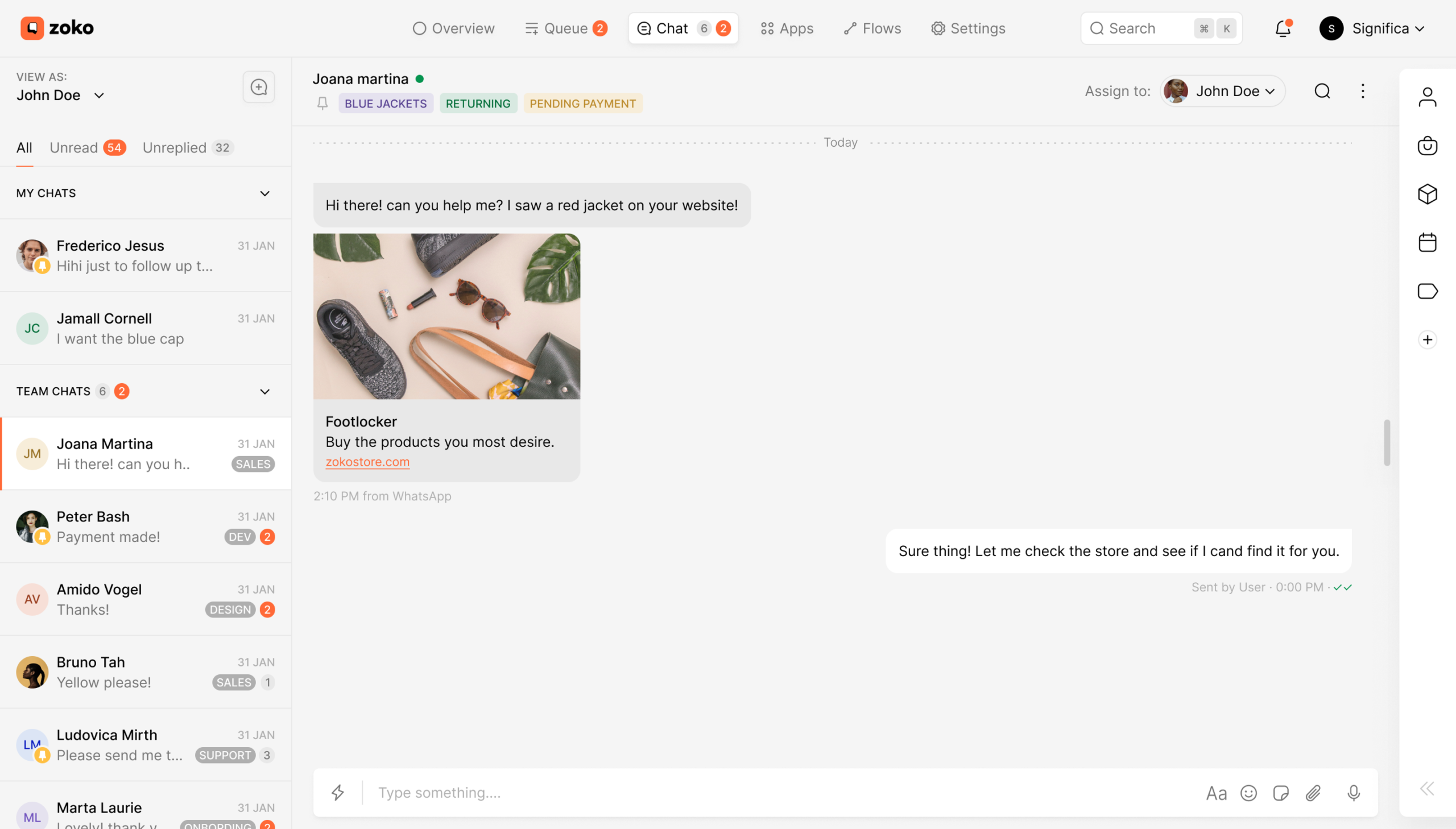
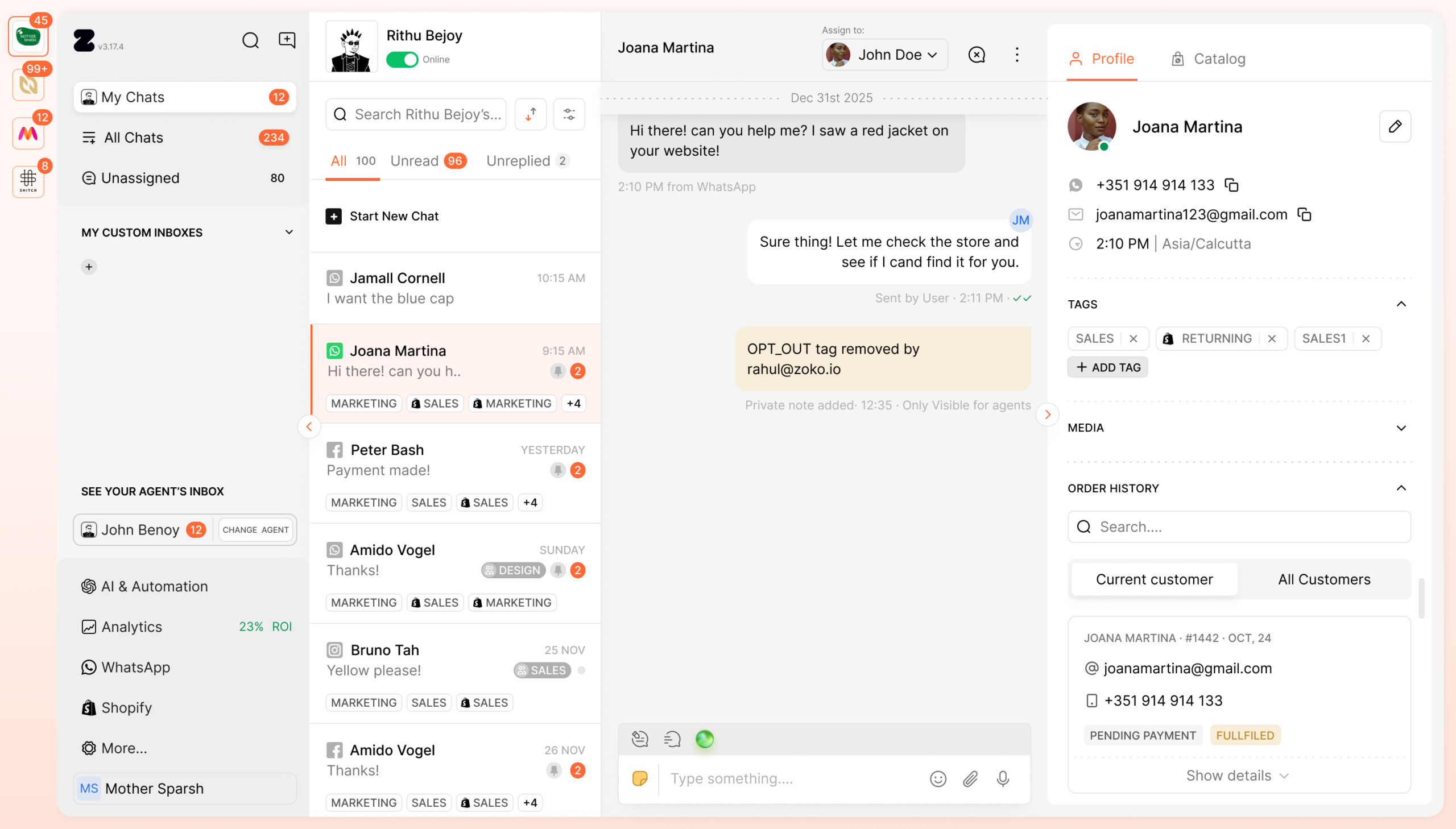
The inbox evolved from a simple chat interface to a structured, scalable workspace supporting multiple agents and workflows.
- Improved navigation through persistent sidebar
- Clear separation of conversations and context
- Enhanced visibility of incoming chats
Impact
Operational Improvements
- Enabled faster response times through improved chat visibility
- Reduced missed and delayed conversations
- Improved chat assignment and handling across agents
Workflow Efficiency
- Increased adoption of custom inboxes for workflow-based organisations
- Simplified switching between stores and agent views
- Improved efficiency in assigning and managing conversations
Business Impact
- Supported the onboarding of more SMEs through simplified operations
- Increased number of conversations handled and resolved
- Improved team productivity in high-volume environments
What I Learned
1) Visibility > Minimalism in Operational Tools
Minimal interfaces don’t always improve usability.
Users working in high-volume environments prefer visibility and control.
2) Scaling Changes the Nature of the Problem
What works for small teams breaks at scale.
Designing for growth must be intentional from the start.
3) Design is About Workflow, Not Screens
The real challenge was designing how teams operate, not just how the interface looks.
4) Constraints Drive Better Decisions
Working within WhatsApp API limitations helped prioritise what truly matters in the product.
5) Real Insights Come from Operations Teams
Sales and support teams provided the most valuable insights into real user problems.
This redesign turned the inbox into a scalable operations system — helping teams manage high-volume conversations with better speed, clarity, and coordination.
Let’s build thoughtful, scalable products.
Open to senior IC and design leadership roles. If you're building something interesting, let’s talk.
📱 +91 9847580241
📄 Resume
Elsewhere:
© 2026 Sooraj. Designed with intention.