Designing a Scalable Product System for Zoko
Built a unified product system to maintain consistency across inbox, automation, analytics, and onboarding as Zoko scaled into a multi-feature SaaS platform.
Context
Zoko had an initial design system created by an external agency during the early stages of the product.
As the product evolved into a multi-product platform - spanning inbox, automation, onboarding, and analytics - the system was no longer enough to support new use cases and growing complexity.
UI inconsistencies started appearing, patterns were fragmented, and development slowed down. I took ownership of evolving and scaling the system to support the product’s growth.
The Problem
As the product expanded:
• Inconsistent UI patterns across different features
• Repeated design effort for similar components
• Lack of shared standards between design and engineering
• Slower feature development due to fragmented decisions
This led to a fragmented experience and slower product development.
Why This Was Important
As the product scaled, these inconsistencies didn’t just affect design - they impacted development speed and overall product quality.
Without a strong system, every new feature added more fragmentation instead of improving the experience.
Design Approach
I focused on evolving the system in a practical way - keeping it simple, usable, and aligned with real product needs.
The goal was not just consistency, but helping teams build faster without rethinking patterns every time.
The system was designed to:
1) Focus on patterns we actually use
2) Keep it simple so teams can adopt it easily
3) Make sure it works well with engineering
4) Evolve the system as the product grows
System Foundations
I started by defining the core foundations - colors, typography, spacing, and basic components - to create consistency across the product.
Theming
Defined foundational tokens to ensure visual consistency:
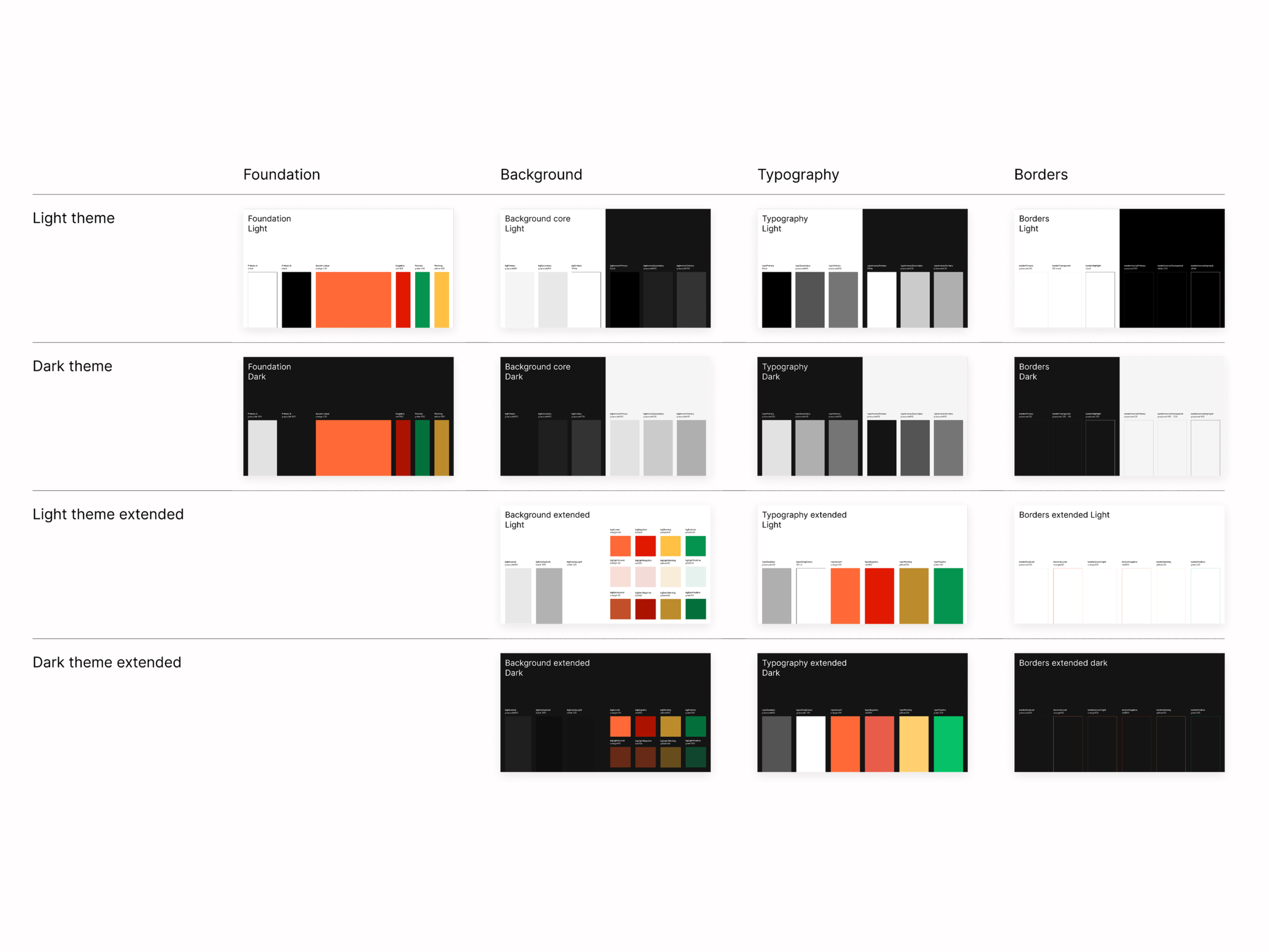
Colour system
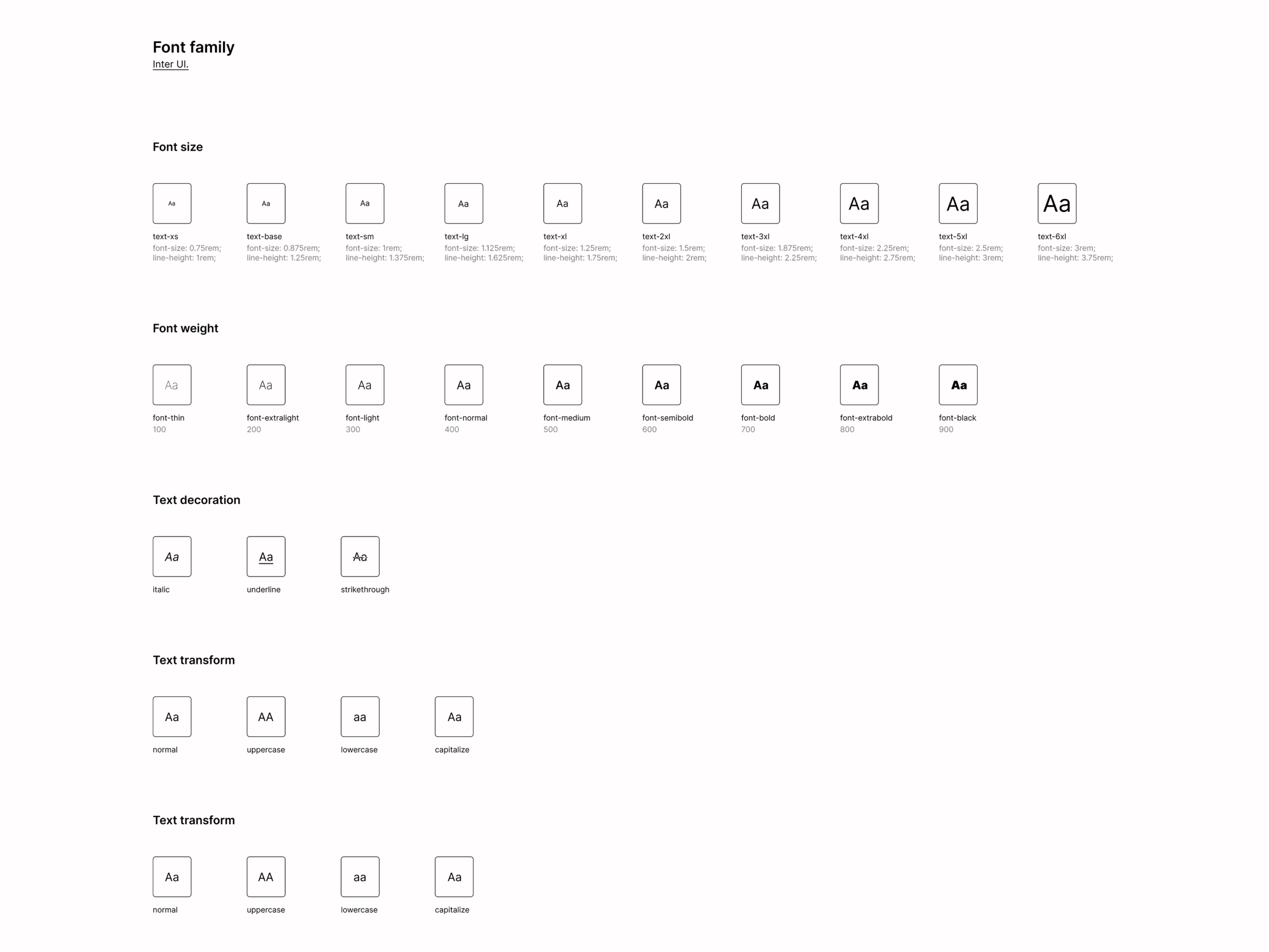
Typography scale
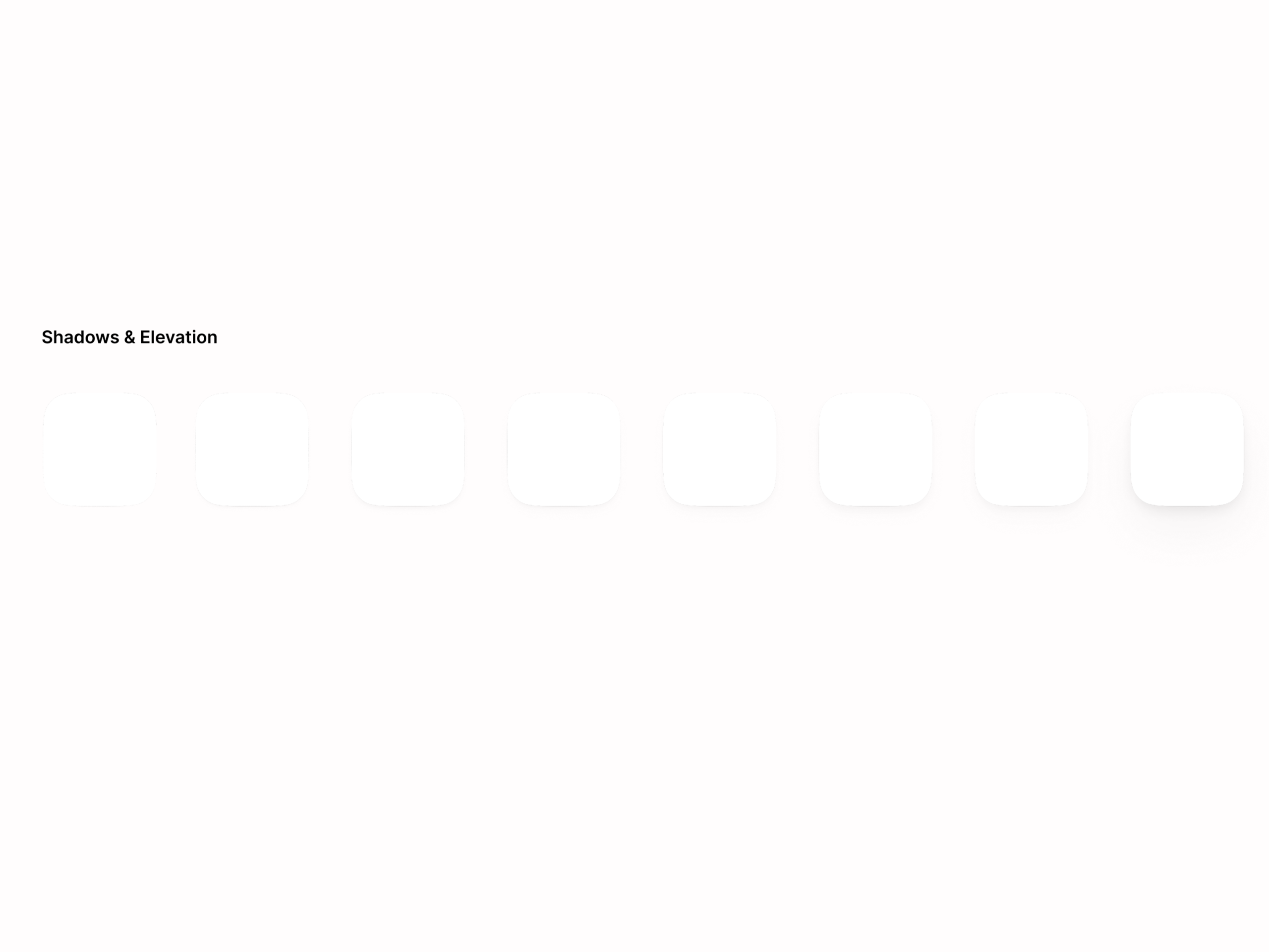
Shadows & elevation
Ensured a consistent visual language across the product.
Layout System
Standardised layout structures:
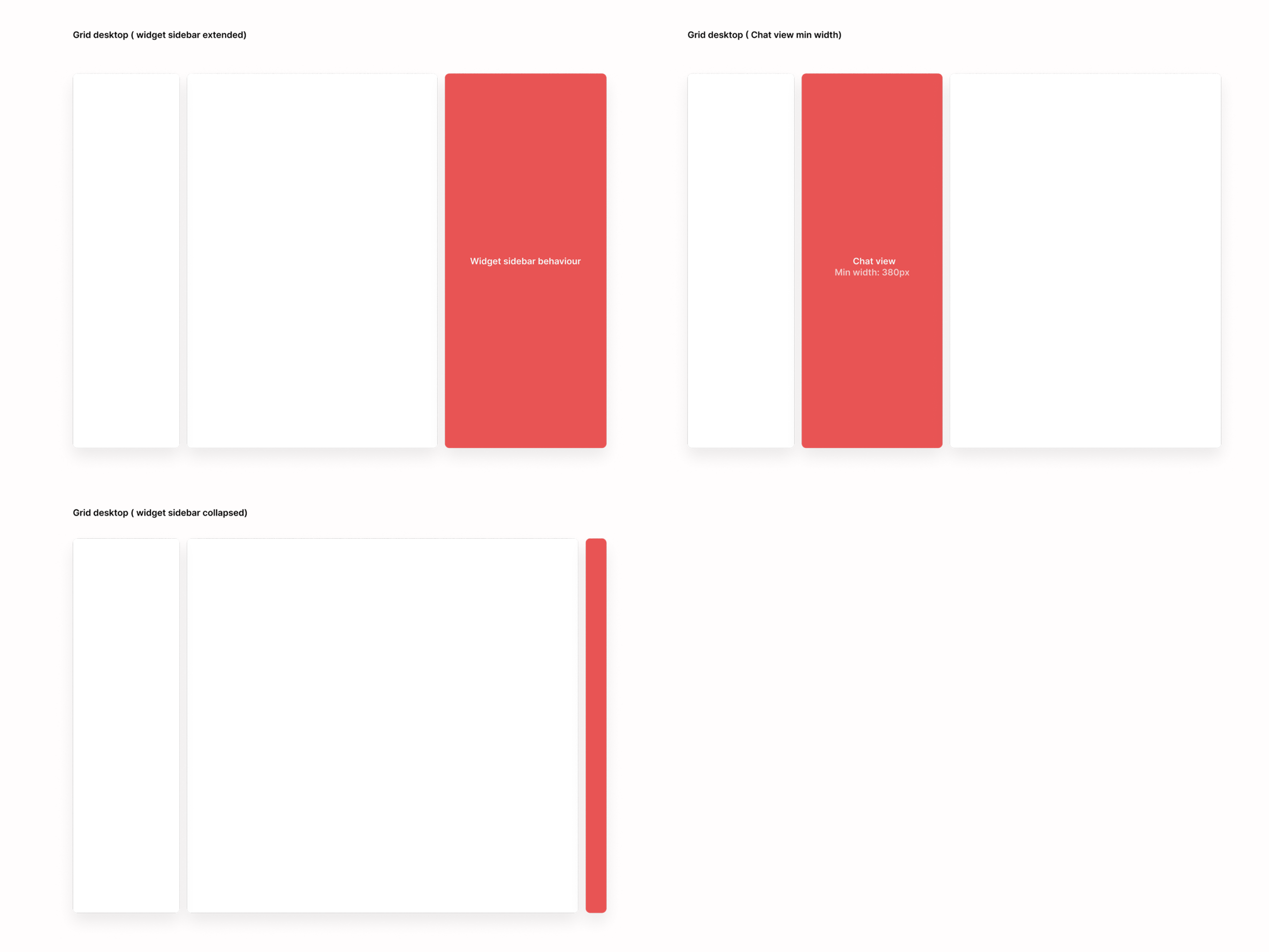
Grid system for scalable layouts
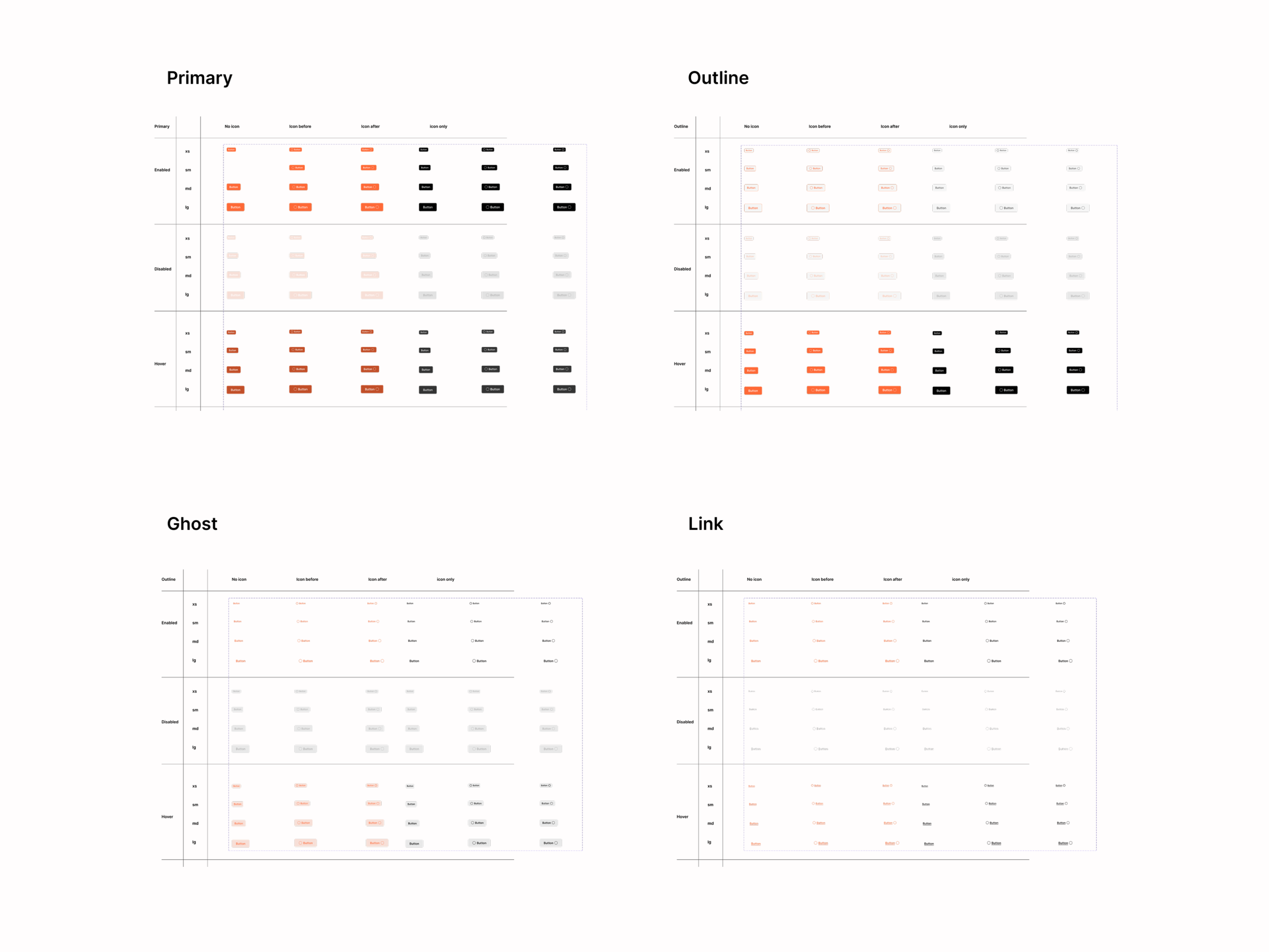
Aspect ratios for consistency
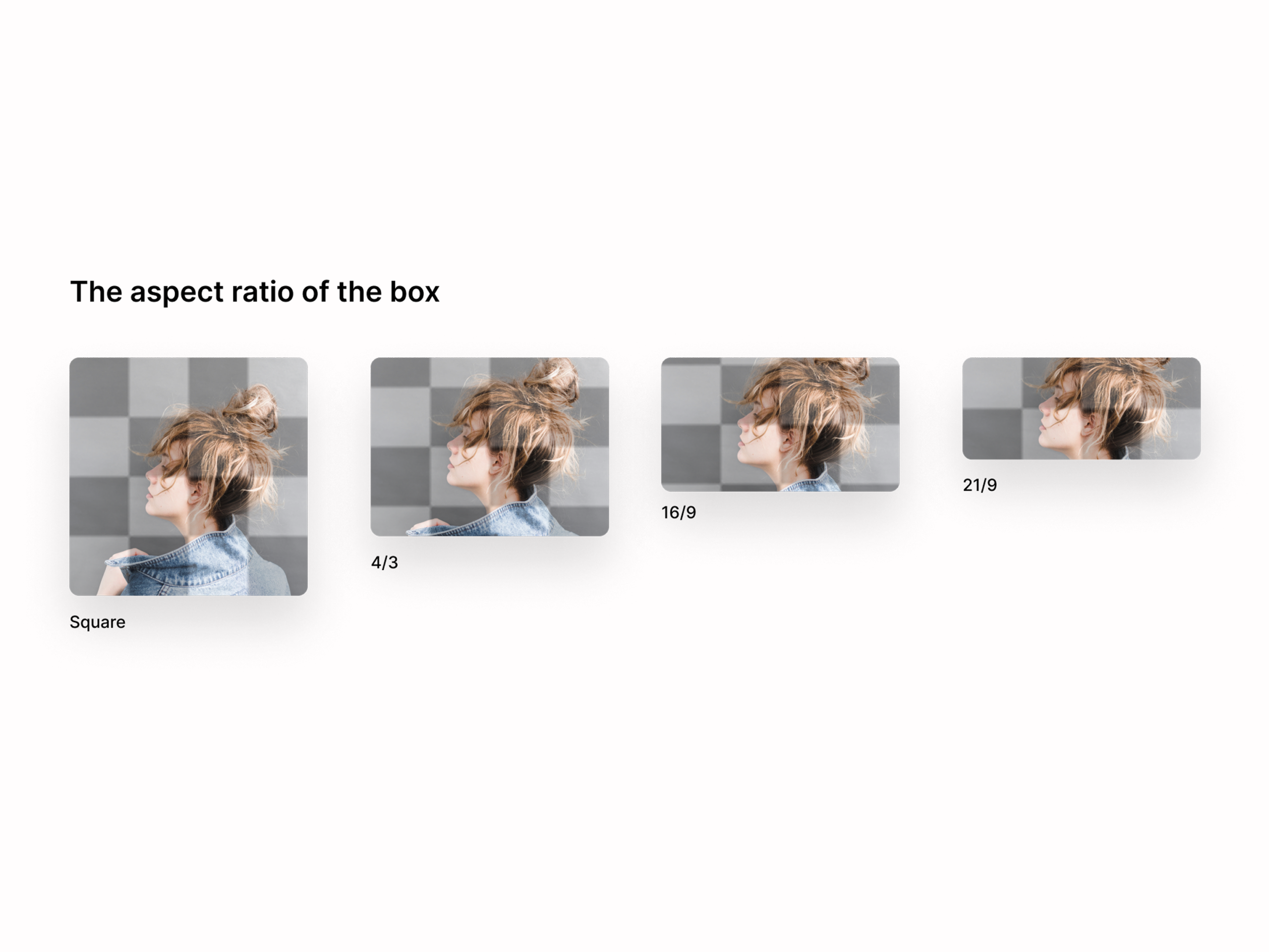
Button hierarchy and usage
Enabled predictable and reusable layouts across features.
Components (Core Building Blocks)
Designed reusable components across key categories:
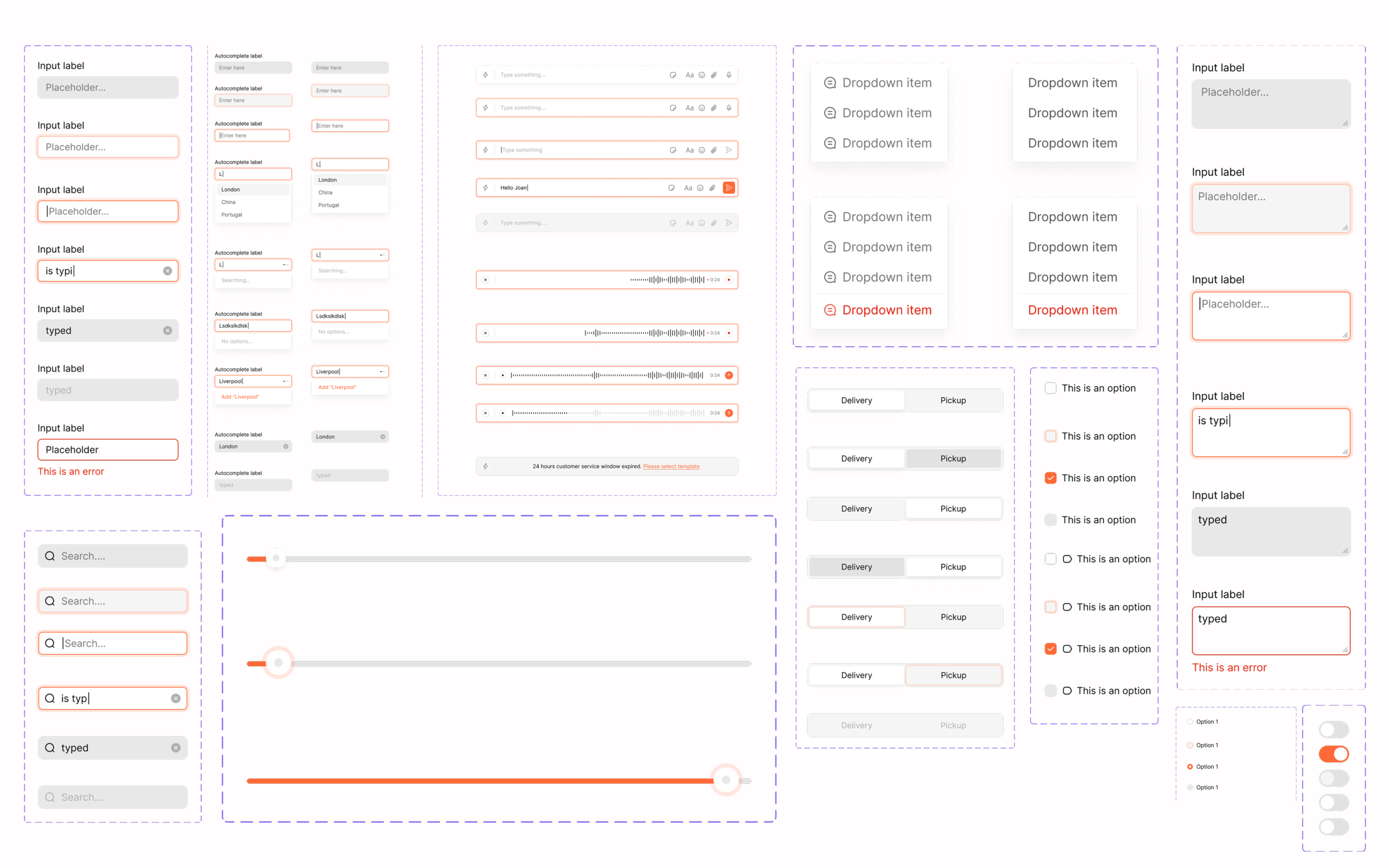
Data Entry : Inputs, dropdowns, search, toggles, sliders, checkboxes, reply box, text areas
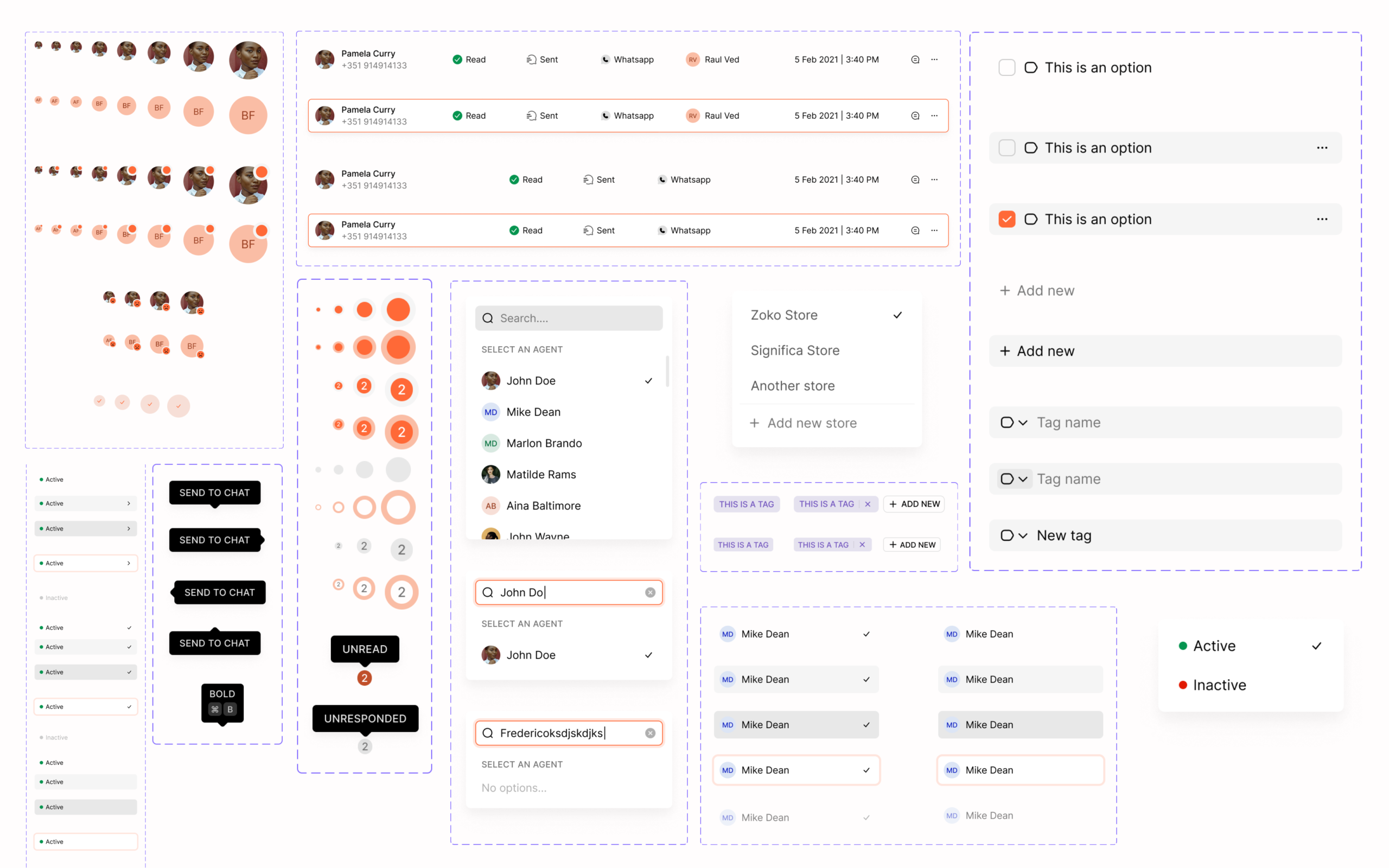
Data Display : Avatars, badges, tags, tables, list items, tooltips, popovers
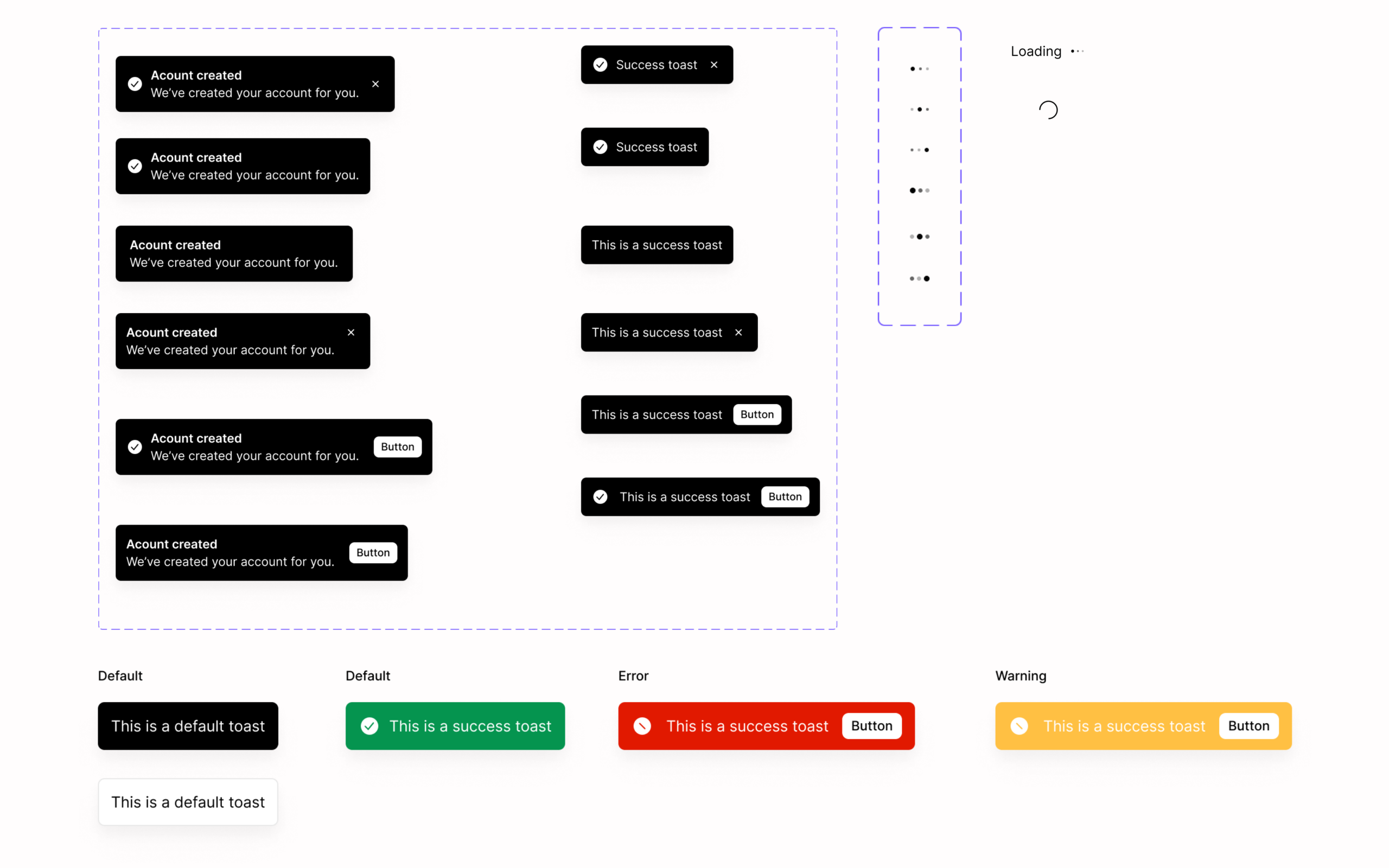
Feedback : Loaders, spinners, toast messages
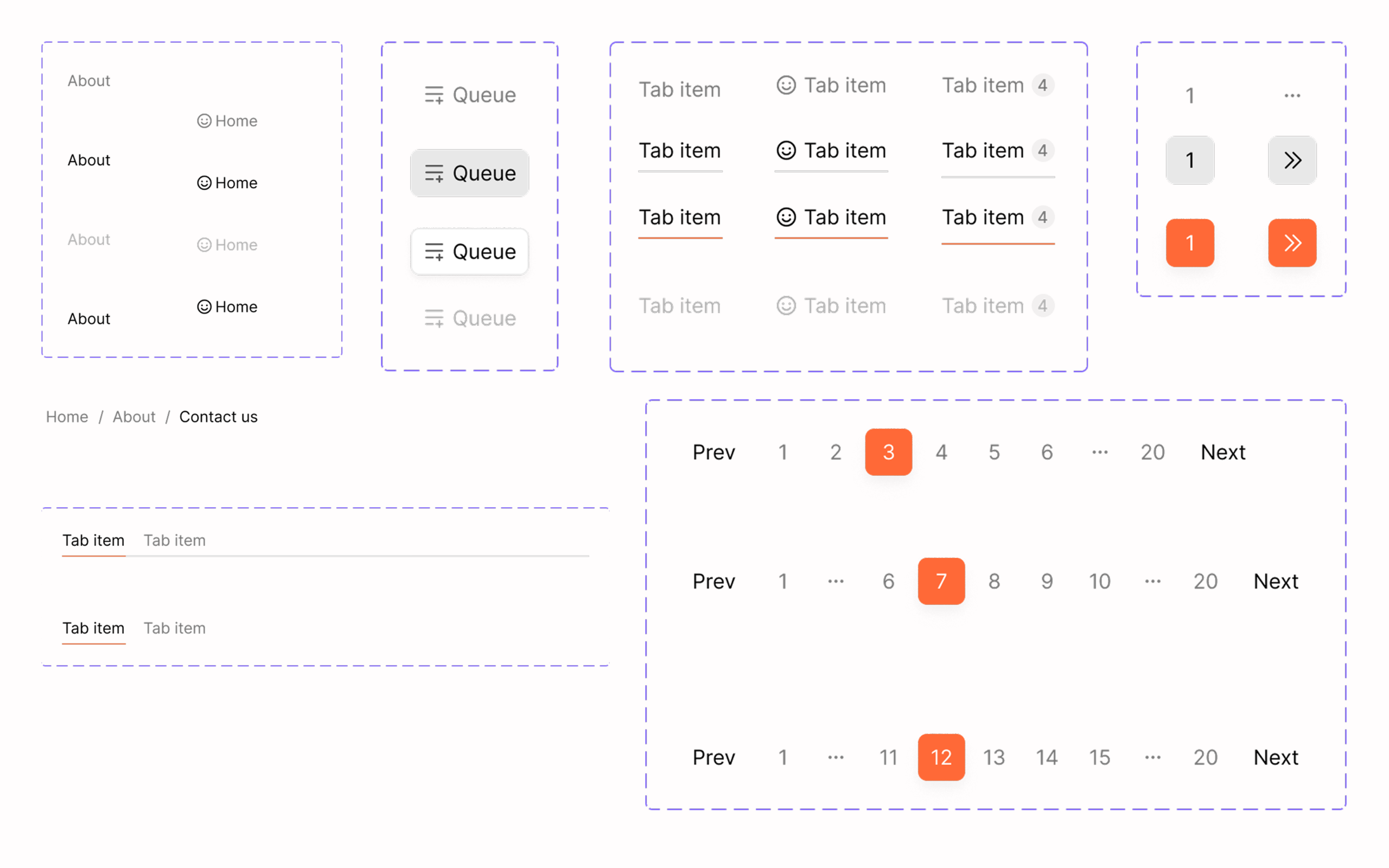
Navigation : Tabs, pagination, breadcrumbs
Messaging System (Critical Layer)
One of the most complex parts of the system:
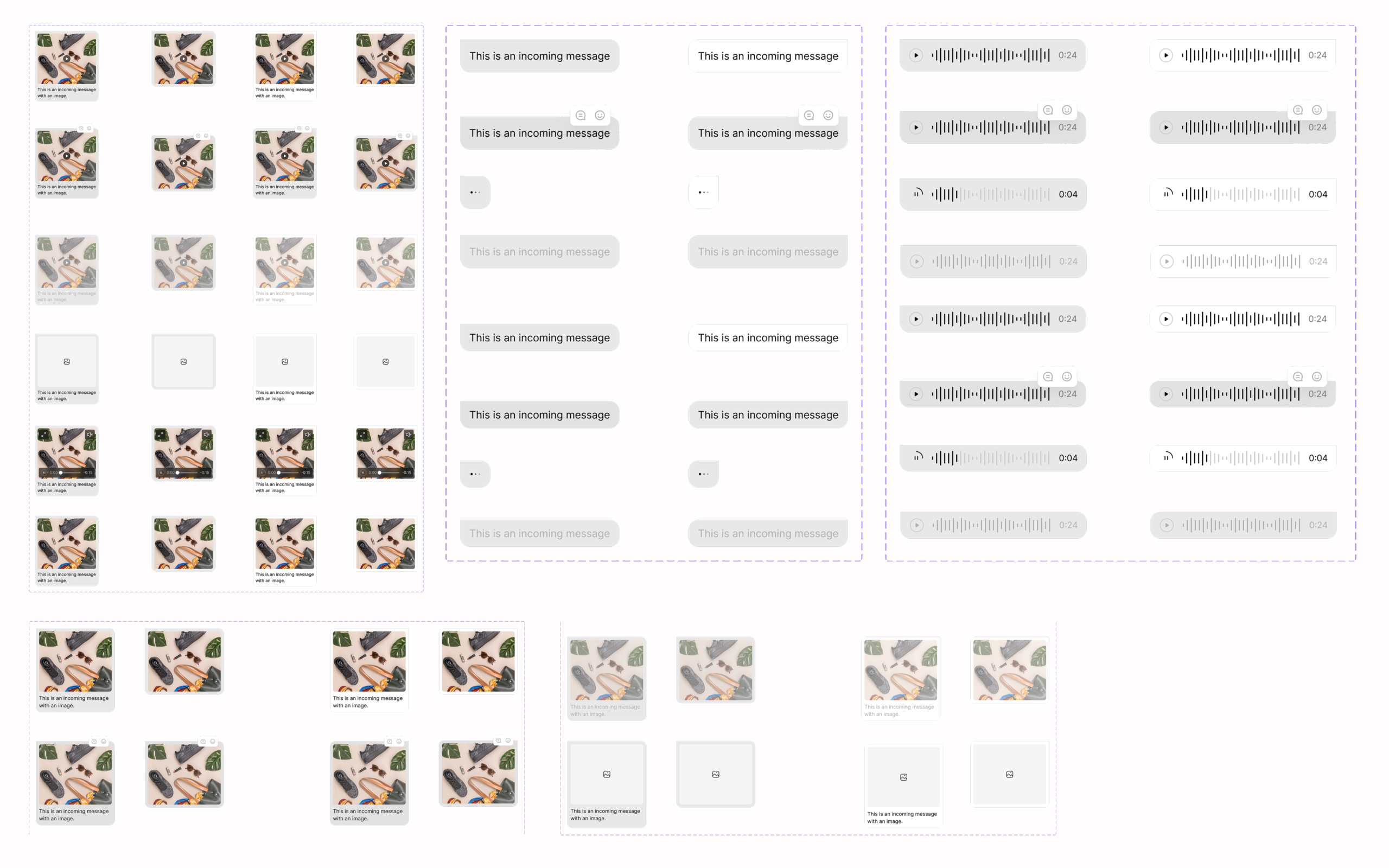
Text, image, video, audio messages
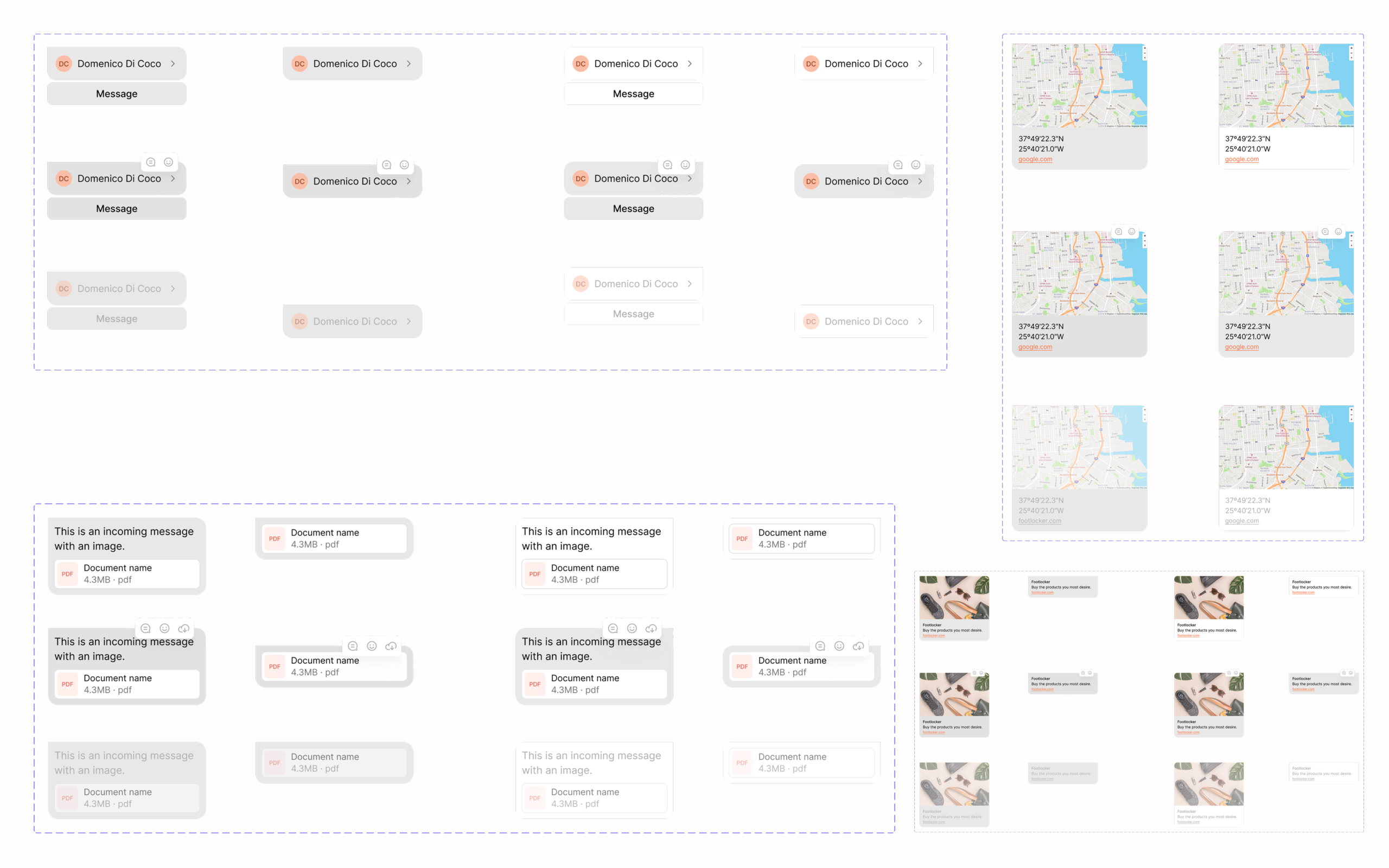
Documents, links, locations, contacts
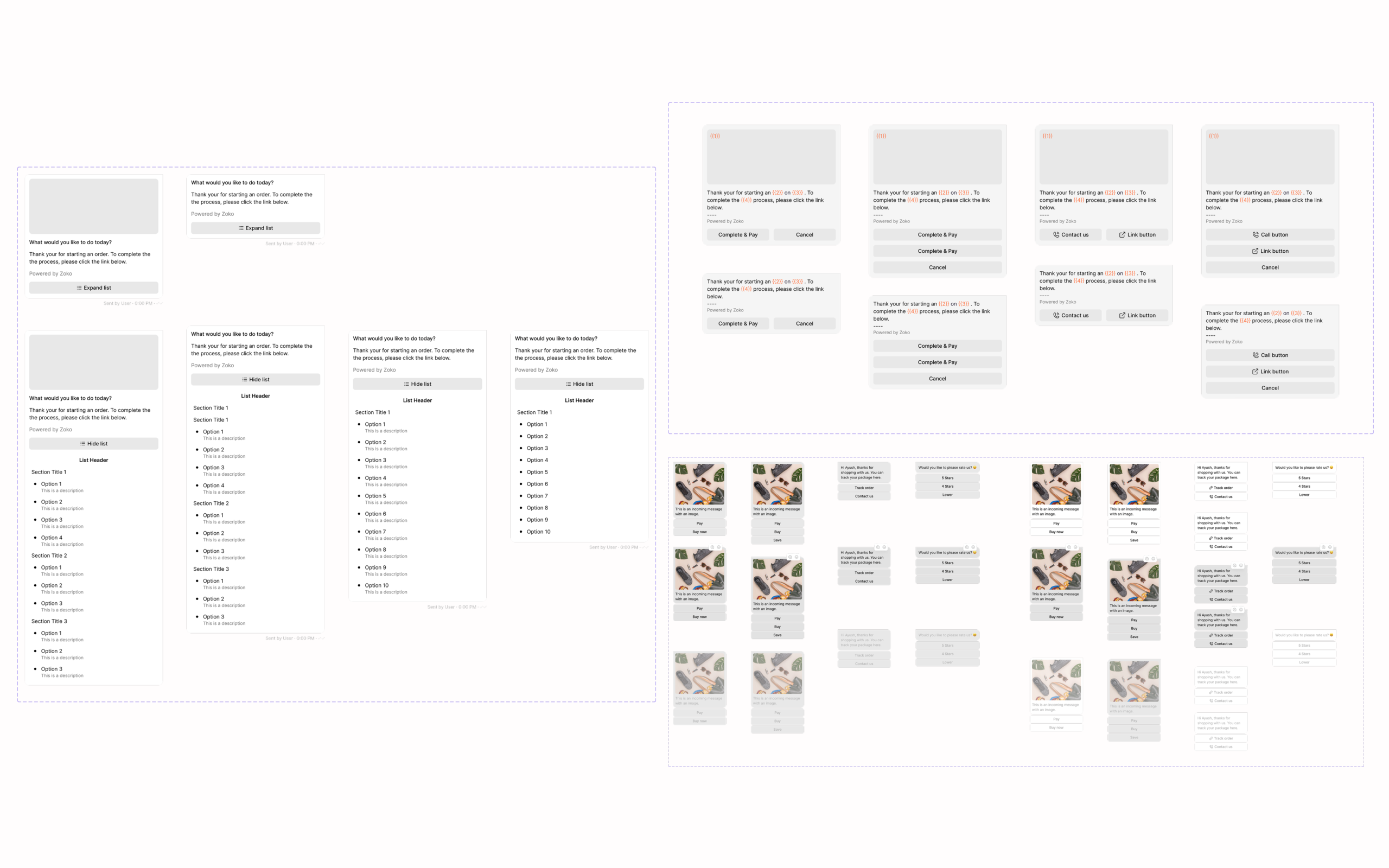
Interactive messages (quick replies, lists, actions)
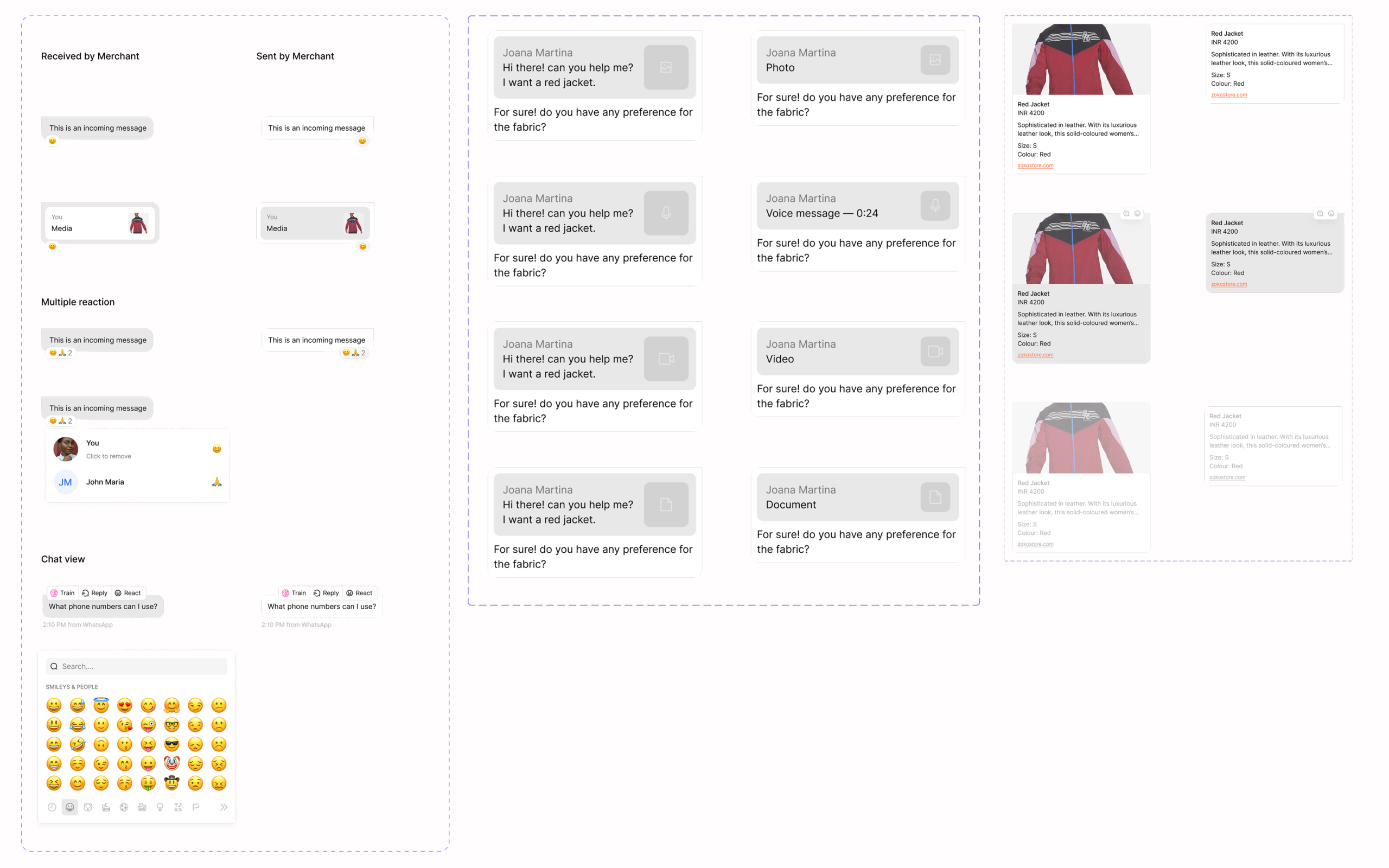
Threaded replies and structured messages
What I Built
1) Extended the system with reusable components used across multiple features
2) Defined consistent interaction patterns for common workflows
3) Standardized visual styles including spacing, typography, and colors
4) Introduced scalable layout patterns used across inbox, automation, and analytics
This kept the system maintainable as new features were added.
Key System Decisions
Focused on components that were used frequently across the product instead of overbuilding the system
Pattern-First Approach
Instead of focusing only on UI elements, I prioritised reusable patterns:
- Inbox layout
- Workflow builder structures
- Data-heavy dashboards
This made the system scalable across features.
Visibility Over Minimalism
Based on user behaviour:
- Prioritised information visibility
- Reduced navigation depth
- Surfaced key actions upfront
This principle was applied consistently across the system.
Component Reusability
Designed components to be:
- Flexible
- Adaptable across contexts
- Consistent in behaviour
Reduced duplication and improved efficiency.
Alignment with Engineering
Worked closely with engineering to ensure:
- Components were reusable in code
- Design decisions translated into implementation
- System scaled with development needs
Impact
Product Consistency
- Unified experience across multiple features
- Reduced visual and interaction inconsistencies
Development Efficiency
- Faster feature development using reusable components
- Reduced duplication in design and engineering
Scalability
- Enabled the product to scale from a single feature to a multi-product platform
- Supported increasing complexity without breaking usability
What I Learned
1) Systems Matter More Than Screens
Designing individual screens doesn’t scale - systems do.
2) Patterns > Components
Reusable patterns have more long-term impact than isolated UI elements.
3) Collaboration is Critical
A design system only works when aligned with engineering implementation.
4) Scale Requires Intentional Design
Consistency doesn’t happen automatically - it must be designed and maintained.
This system became the foundation for scaling Zoko into a multi-feature SaaS product — improving consistency, development speed, and overall usability.
Let’s build thoughtful, scalable products.
Open to senior IC and design leadership roles. If you're building something interesting, let’s talk.
📱 +91 9847580241
📄 Resume
Elsewhere:
© 2026 Sooraj. Designed with intention.